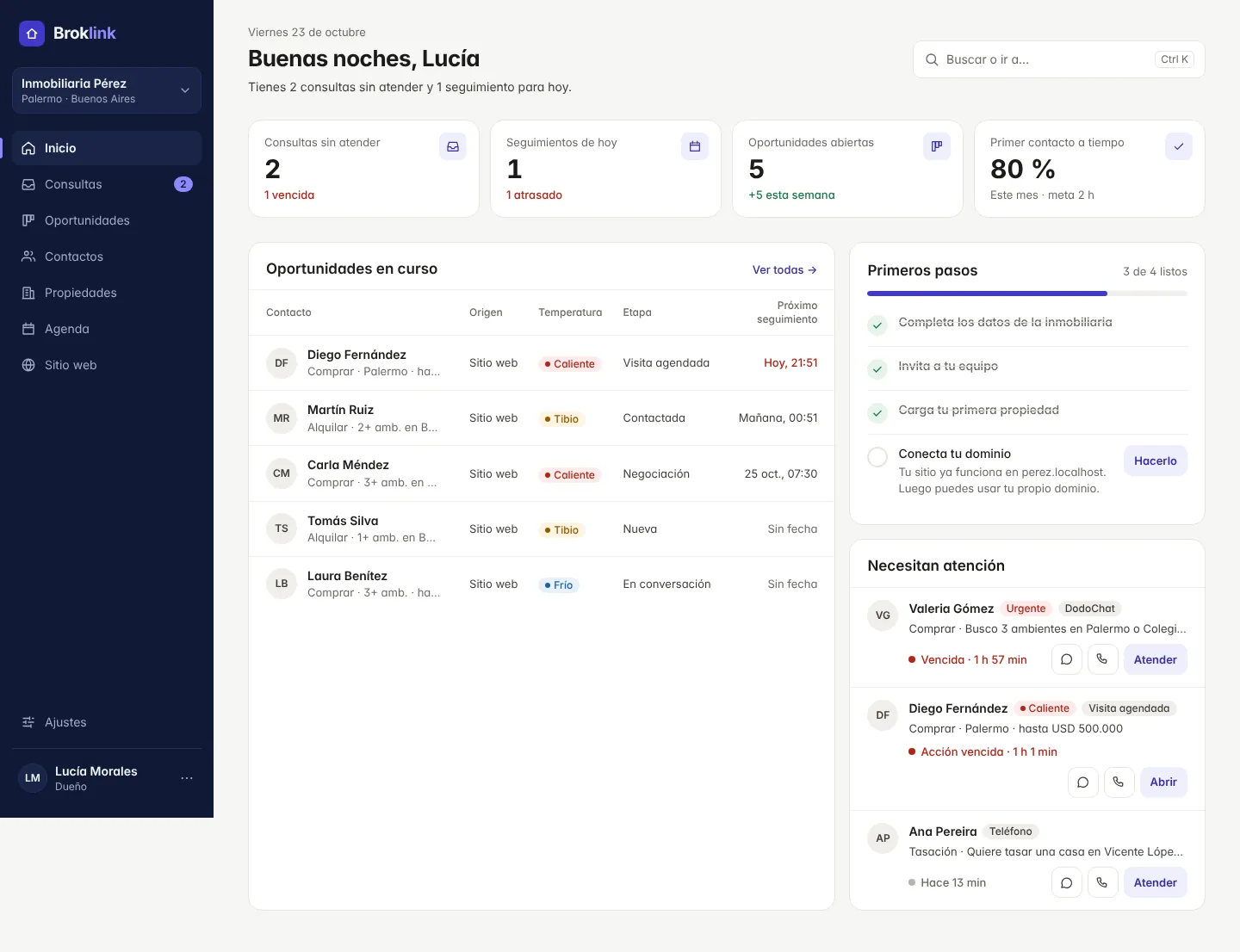
Organized contacts
All your client information, always at hand.
Manage buyers, prospects and owners with their contact details, related listings and history.
See at a glance what each person needs and what has been done.
Inquiry management
From the first inquiry to a real opportunity.
Log the inquiries that come from your website, add new prospects and assign owners.
BrokLink turns an inquiry into a deal and keeps the full history of what was done.
Sales pipeline
Know which stage every negotiation is in.
See your deals on a sales board and organize them by status. From first contact to showing, negotiation and closing, every deal has its own follow-up.
Created when you convert an inquiry or add it manually, with what the person needs and who handles it.
Suggested deadline: first contact within 2 hours.Buy · 2 bedrooms downtown
Due in 1 h 57 min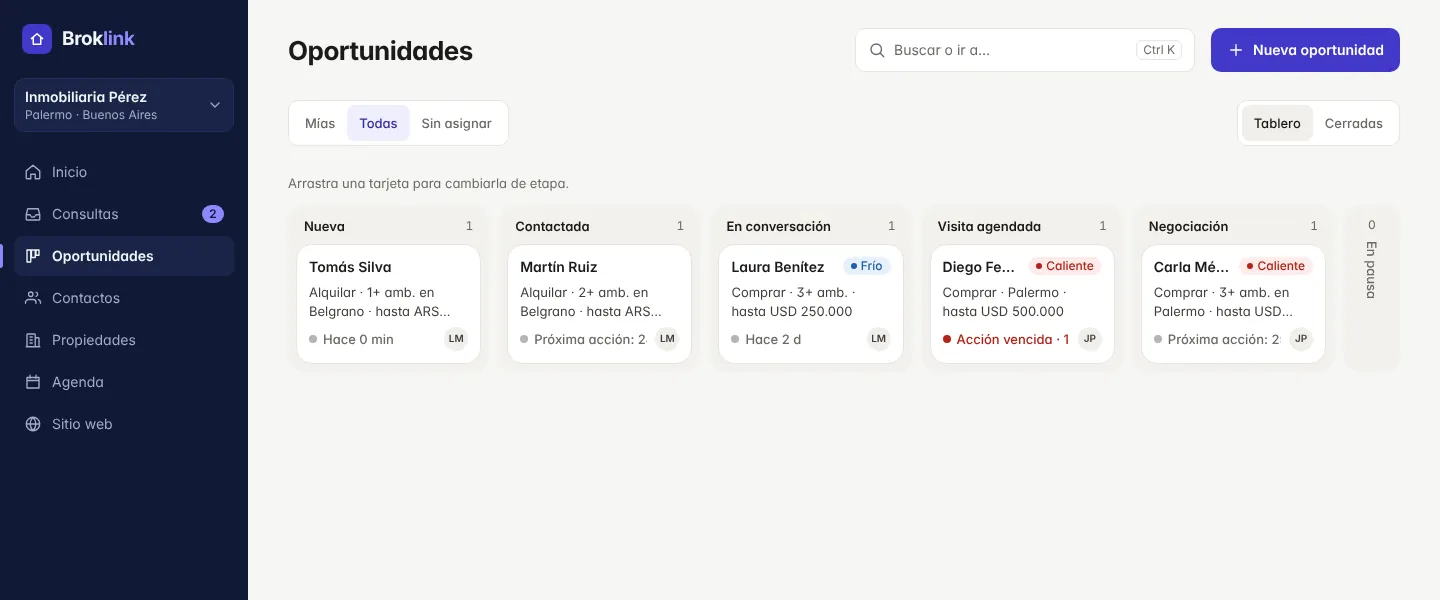
Property matches
Find listings that match what your client is looking for.
Save each prospect’s preferences and see the available listings that best fit their search.
Share options on WhatsApp and keep a record of every listing you sent.
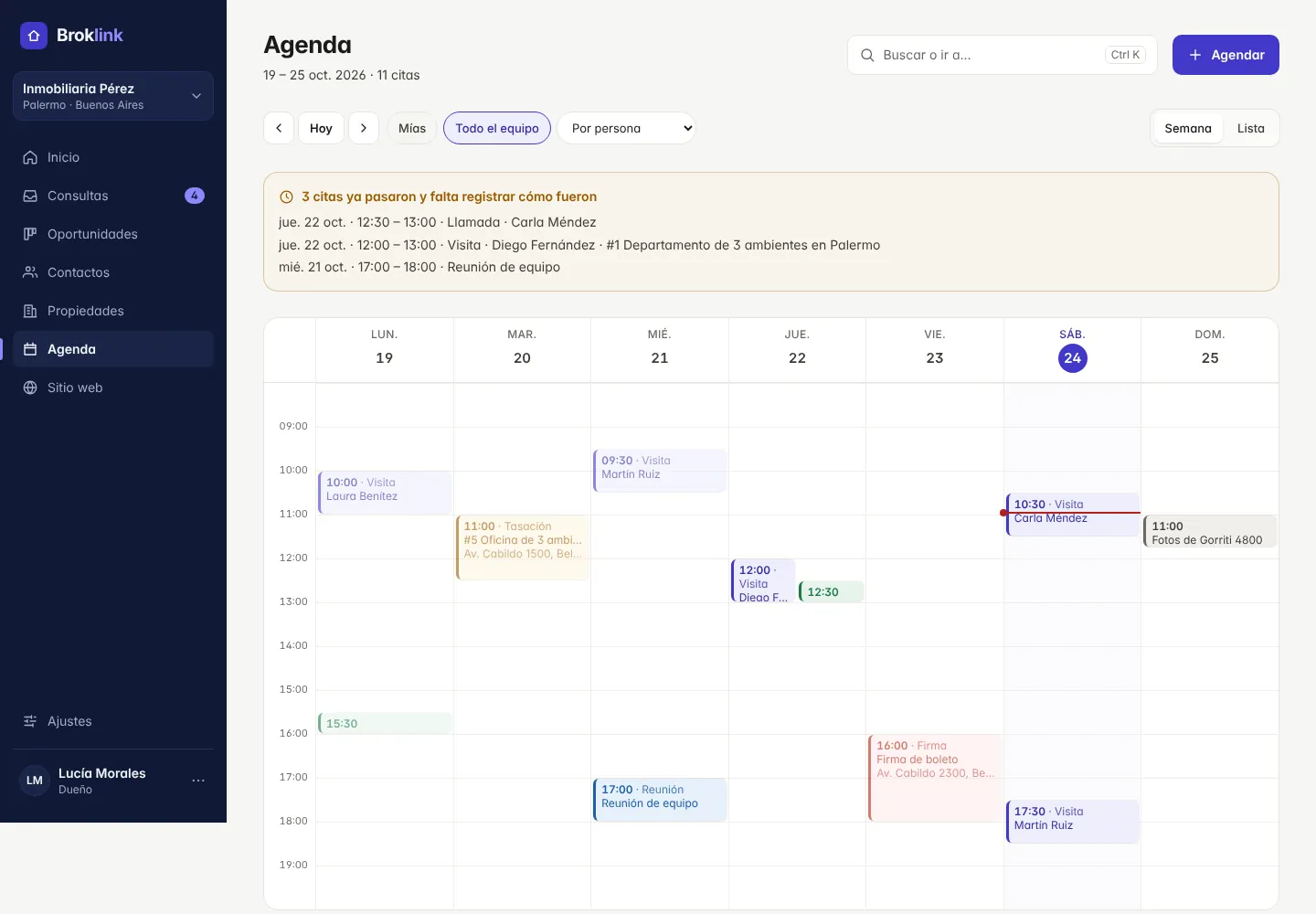
Sales calendar
Showings, calls and tasks in one calendar.
Schedule activities, assign owners and see your team’s commitments.
Organize showings, meetings, appraisals and follow-ups.
Teamwork
Everyone knows what they need to handle.
Manage users, permissions and inquiry assignment.
Set up how deals are distributed to keep sales work organized.
On your phone
Your agency in your pocket, with instant alerts.
BrokLink installs on your phone from the browser, with no app store, and opens from its own icon.
The phone has the day-to-day: answer inquiries by WhatsApp or a call, add a listing with photos from the camera, schedule a viewing or check a contact. Setup (website, domain, team) stays on the computer.
- New inquiry: alert on your phone
- Reminder before every viewing
- WhatsApp and call in one tap
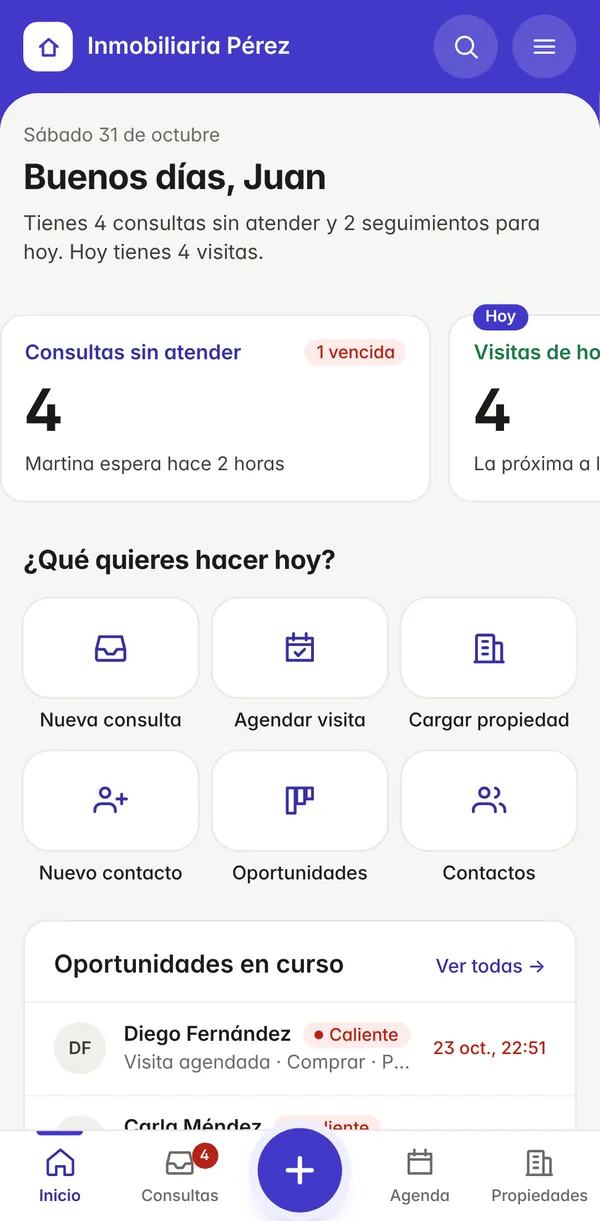
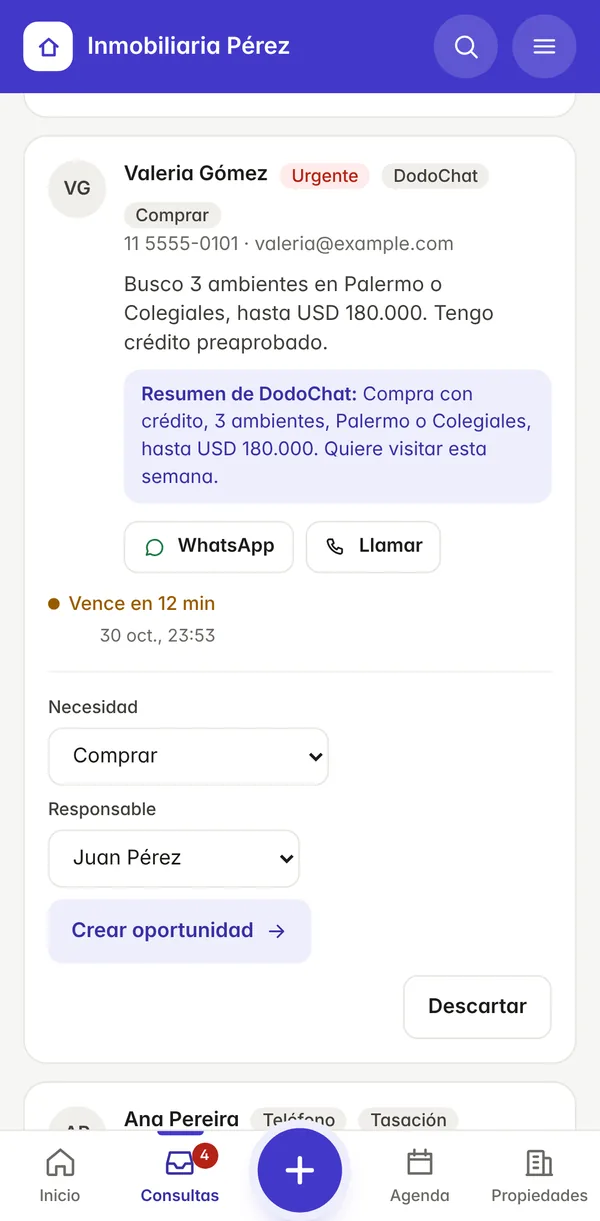
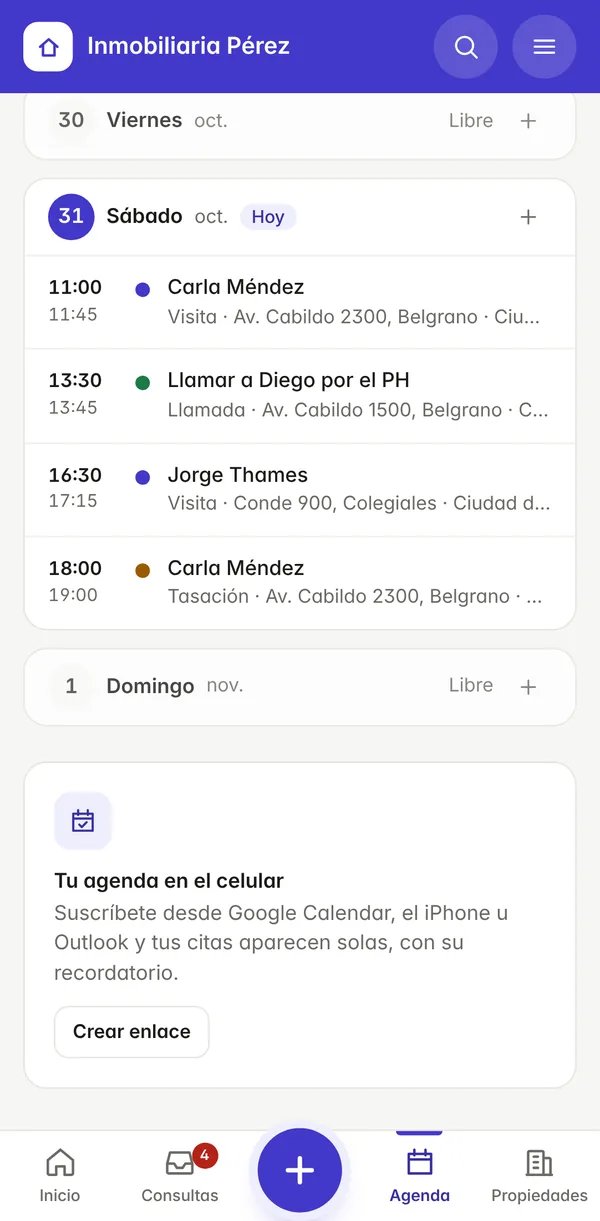
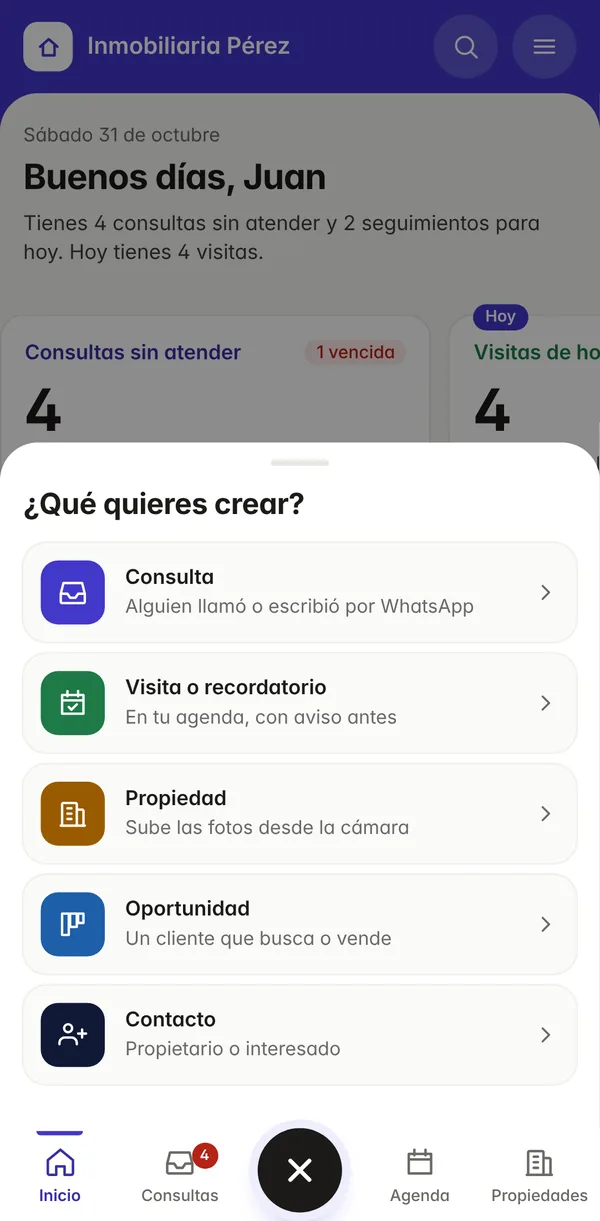
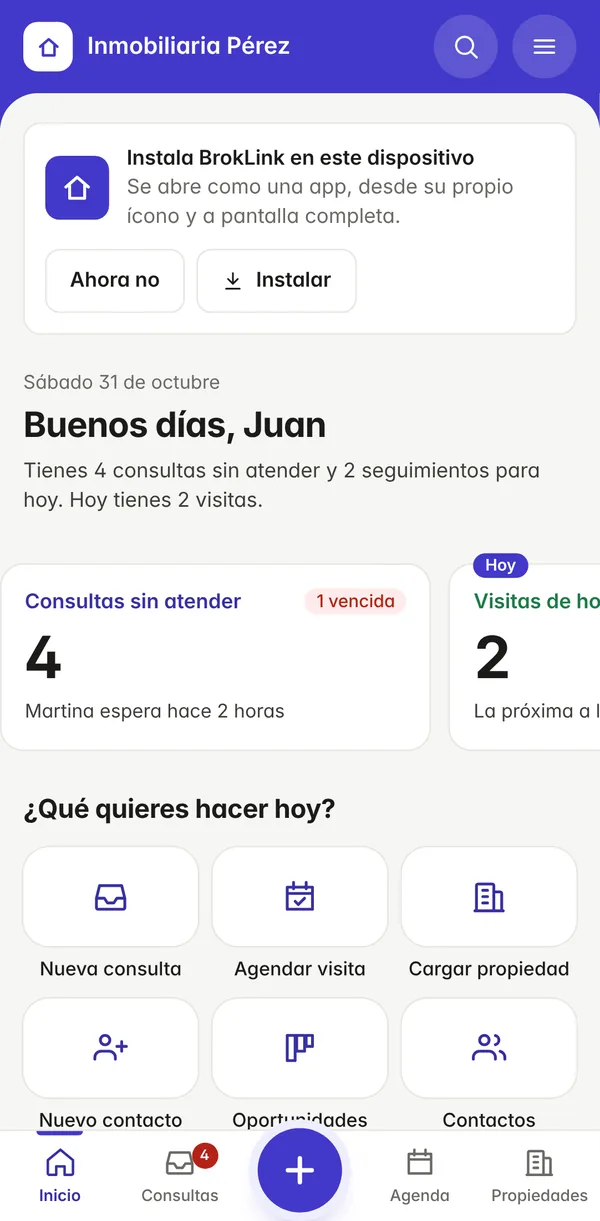
A new inquiry or an upcoming viewing reaches you as a notification, even with the app closed.
Installs in a minute, no app store
No downloads from Google Play or the App Store, no manual updates: you always have the latest version.
Open BrokLink in your phone’s browser and sign in.
On Android, the install prompt appears. On iPhone: Share, then «Add to Home Screen».
Open it from its icon and allow notifications to hear about every inquiry right away.